
What Does a Cold Email Sending Tool Do?
It sends your sequences from lots of inboxes, keeps them warmed up, and puts every reply in one place.
Sending 1,000 emails a day from one Gmail account gets you to spam fast. A sending tool spreads volume across many inboxes on separate domains and follows up until someone replies.
When we compare tools, these are the things we actually check:
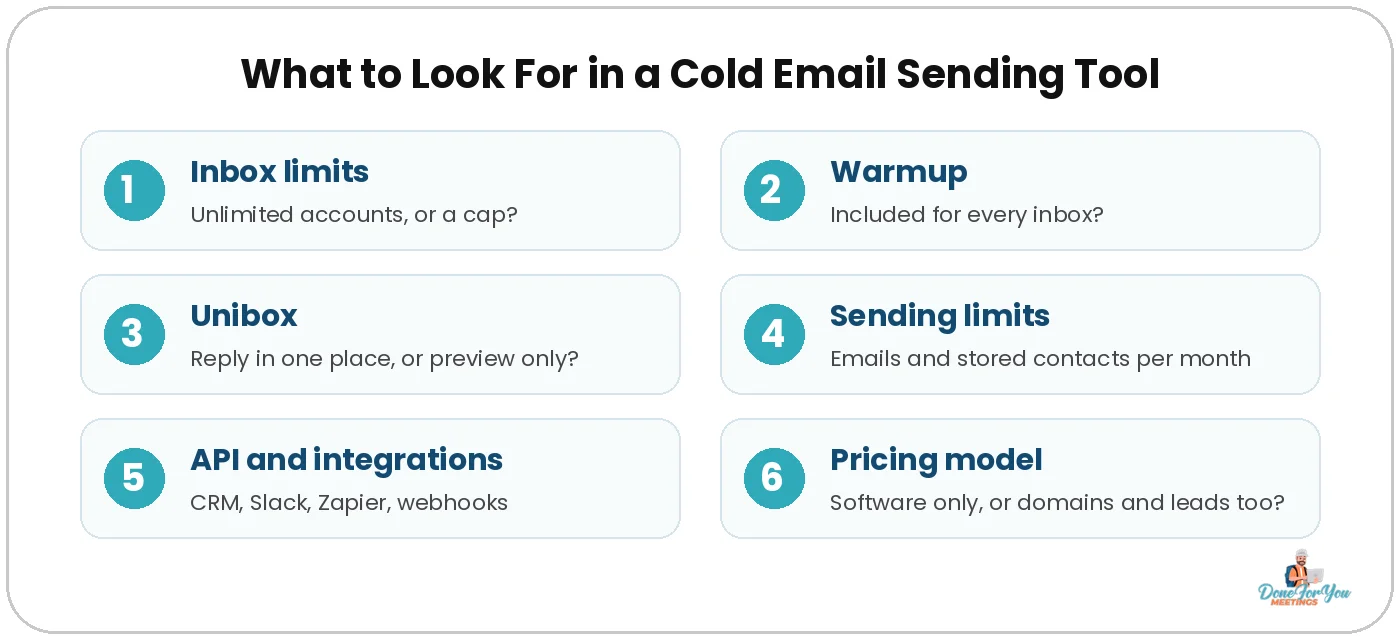
- Inbox limits: can you connect as many email accounts as you need without paying per mailbox?
- Warmup: is it included, and is it on for every inbox?
- Unibox: can you read and answer every reply in one inbox, or only preview them?
- Sending and contact limits: how many emails and stored leads does the plan really allow?
- API and integrations: can it push positive replies into your CRM, Slack or Zapier?
- Pricing model: software only, or does it include domains, mailboxes and lead data?
💡 Pro tip: Domains and inboxes are where most of the hidden cost sits. Before you compare tool prices, read our guide to cold email domain names so you know how many you’ll need.
Instantly
Best for: teams that want cheap unlimited inboxes to start, with a lead database and AI agents on the same platform.
Instantly is one of the tools we use ourselves. Every outreach plan includes unlimited email accounts and warmup. Lead data and AI agents run on a separate Instantly Credits subscription.
What You Get
- Growth ($47/mo): 5,000 emails and 1,000 uploaded contacts a month, unlimited accounts and warmup, A/Z testing and API access. Replies in the Unibox are preview-only on this plan.
- Hypergrowth ($107/mo): 125,000 emails and 25,000 contacts, full Unibox replies, native webhooks and the built-in CRM.
- Light Speed ($358/mo): 500,000 emails, 100,000 contacts and dedicated server and IP rotation.
- Free trial: 14 days with no card, 250 contacts and 1,000 emails.
Pros
- Unlimited email accounts and warmup on every plan
- API access on every plan, plus webhooks from Hypergrowth
- Lead database (450M+ contacts) and AI agents on the same platform
Cons
- Growth’s 5,000 emails and 1,000 contacts a month run out fast
- Answering replies in the Unibox and webhooks need Hypergrowth or higher
- Leads and AI features cost extra through the Credits subscription
Want the full walkthrough? Read our Instantly review or watch Michael’s Instantly tutorial.
PlusVibe
Best for: lean teams and agencies that want enrichment credits and a private warmup pool bundled in at a low starting price.
PlusVibe prices plans by email volume and includes enrichment credits (email finding, verification and scraping) in each. Warmup runs on a private pool of 350k+ accounts on every plan.
What You Get
- Personal (from $37/mo): 25,000 emails a month, 30,000 active leads, 1,000 enrichment credits, basic warmup and a unified inbox.
- Business (from $77/mo): 150,000 emails, 100,000 active leads, 3,000 credits, advanced warmup, AI reply agents, webhooks, Zapier and Make, and API access.
- Agency (from $497/mo): 500,000+ emails, an isolated sending server, dedicated client workspaces, white-labelling and unlimited team members.
- Free trial: 14 days, 1,000 emails, up to 3 email accounts.
Pros
- Low starting price with enrichment credits included
- Unified inbox and AI reply sentiment from the first paid plan
- HubSpot, GoHighLevel, Slack and a custom MCP server for ChatGPT and Claude
Cons
- The pricing page doesn’t say how many email accounts paid plans can connect, so ask before you move a big setup over
- API, webhooks and the AI reply agent start at Business
- More enrichment credits push the price up (Business runs up to $220/mo)
Reachkit
Best for: teams that want to skip infrastructure entirely, with domains, mailboxes, warmup and leads included in one plan.
Reachkit works differently from the other three. It buys, sets up and warms up your domains and mailboxes for you and adds monthly lead credits. Every plan has every feature; plans only differ in volume.
What You Get
- Mega ($597/mo): 20 domains with 60 mailboxes set up for you, about 1,200 emails a day, 20,000 lead credits a month and 125,000 stored contacts.
- Giga ($1,497/mo): 100 domains, 300 mailboxes, about 6,000 emails a day and 60,000 lead credits.
- Tera ($4,997/mo): 400 domains, 1,200 mailboxes, about 24,000 emails a day and 200,000 lead credits.
- Extras: connect as many of your own Gmail, Outlook and IMAP inboxes as you like at no extra cost. Extra domains are $19/mo (3 mailboxes each).
Pros
- No separate bill for domains, mailboxes, warmup or lead data
- Unibox with AI intent labels, a built-in CRM, a REST API and webhooks on every plan
- HubSpot, Zoho, Odoo, GoHighLevel, Slack, Zapier and n8n integrations
- Unlimited team members
Cons
- The highest entry price of the four, because infrastructure is bundled in
- No free trial. You preview your campaign in the builder before you pay instead
- If you already own warmed domains and inboxes, you’re paying for a lot you may not need
Rather skip the tool shopping altogether?
We set up the domains, write the emails and book the calls for you. We’ve worked with 500+ companies and been doing cold email since 2014.
Smartlead
Best for: agencies and high-volume senders who need unlimited inboxes, client workspaces and API access.
Smartlead is the other tool we use day to day. It charges for send volume and stored contacts, not seats or mailboxes, so every plan connects unlimited email accounts with warmup included. It also rotates sending across every mailbox in a campaign automatically.
What You Get
- Base ($39/mo): 6,000 sends and 2,000 stored contacts a month. No CRM or API.
- Pro ($94/mo): 90,000 sends and 30,000 contacts, plus CRM, API and webhooks, with client workspaces at $29/mo each.
- Unlimited Smart ($174/mo): 150,000 sends, unlimited contacts, a premium warmup pool and 50,000 verified prospect emails included.
- Unlimited Prime ($379/mo): 500,000 sends, 3 dedicated SmartServers, 3+ client workspaces and a dedicated manager.
- Free trial: 14 days, no card. Annual billing saves 17%.
Pros
- Unlimited email accounts and warmup on every plan
- Unified master inbox for every reply
- White-label client workspaces from Pro, which is handy for agencies
Cons
- Base has no API, webhooks or CRM
- Sends and stored contacts are two separate limits, so check both
- Workspaces, servers and placement tests add up if you stack them
New to it? Our Smartlead guide and Michael’s Smartlead tutorial walk through setup step by step.
How To Compare and Choose the Right Sending Tool
Start with what you already have, then match the tool to your volume and how you handle replies.
Side-by-Side Comparison
Same four tools, same order, same questions. Prices are monthly billing as listed on each tool’s pricing page on 4 November 2026. Every tool offers a yearly discount.
💡 Pro tip: Don’t compare the sticker price alone. Add up the domains, inboxes and lead data you’d buy for each tool. A tool that looks expensive can work out cheaper once those are included.
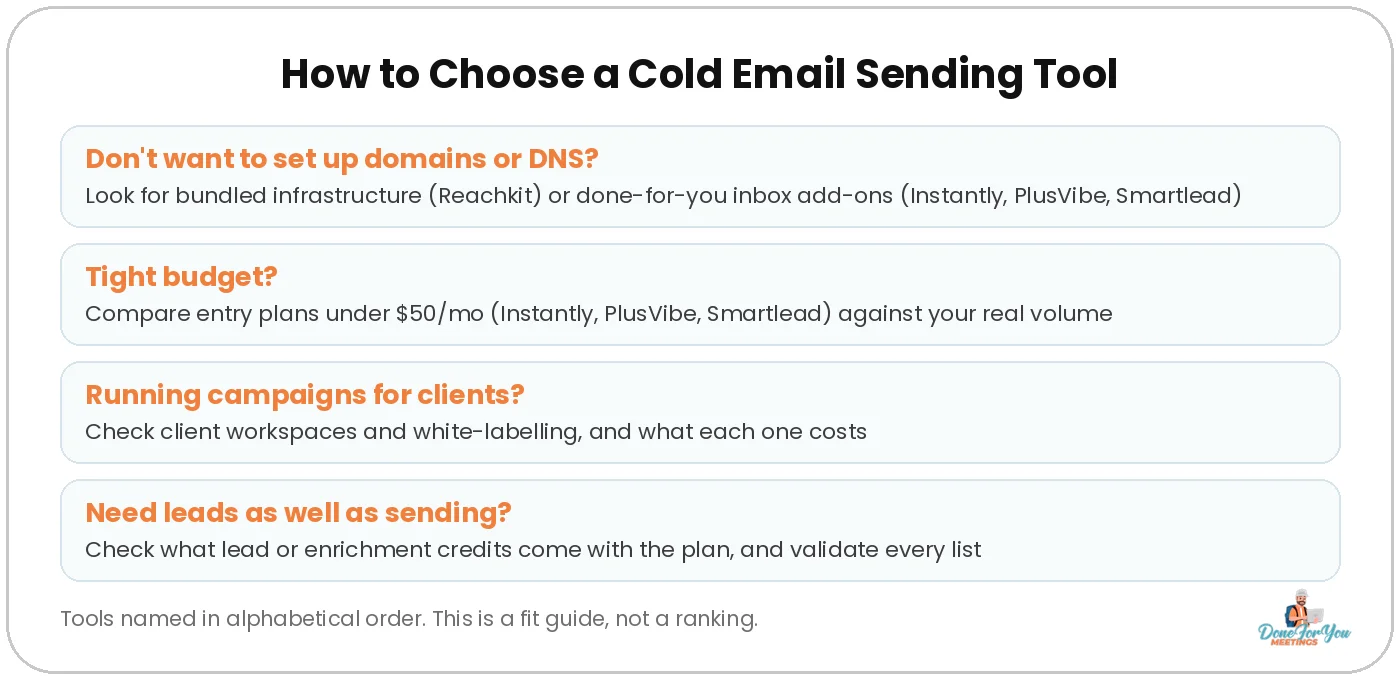
Now work through these four questions:
You Don’t Want to Touch Domains or DNS
If SPF, DKIM and DMARC sound like a punishment, let the tool handle it. Reachkit bundles the domains and mailboxes into the plan. Instantly, PlusVibe and Smartlead all sell done-for-you inboxes as add-ons.
You’re on a Tight Budget
Instantly, PlusVibe and Smartlead all start under $50 a month. Check the entry plan’s limits against your real volume first.
You Run Campaigns for Clients
Look for client workspaces and white-labelling. Smartlead offers them from Pro, and PlusVibe on Agency (or as extra workspaces from $29/mo). Instantly’s pricing page doesn’t list white-label client workspaces, so ask its team if you need them. Reachkit includes unlimited team members with per-feature permissions.
You Need Leads as Well as Sending
Instantly (Credits), PlusVibe (enrichment credits) and Reachkit (lead credits) all include or sell lead data. Smartlead includes verified prospect emails on its Unlimited plans (a $59/mo add-on on Base and Pro), and you can bring lists from any tool. Whatever you use, validate your list before you send.
💡 Pro tip: No tool fixes a bad setup. New inboxes still need a few weeks of warmup, so read how to warm up cold emails before you hit send on anything.
What Matters More Than the Tool You Pick
Deliverability, list quality and copy decide your reply rate. The tool just runs them. Once you’ve picked one, focus on:
- Separate domains. Never send cold email from your main domain.
- Healthy sending volume. Keep each inbox to a modest daily volume and add inboxes to scale.
- Clean lists. Bounces hurt your sender reputation fast. Our cold email deliverability guide and blacklist guide cover the rest.
- The right numbers. Track replies and booked calls, not just opens. Here are the cold email KPIs we track.
Answers To Questions You Might Have
Which cold email sending tool is the best?
There isn’t one best tool for everyone, which is why this list is alphabetical and unranked. Instantly, PlusVibe, Reachkit and Smartlead fit different setups. Pick based on your budget, sending volume, whether you want infrastructure included and whether you manage clients.
Do these tools include email warmup?
Yes. All four include warmup. Instantly and Smartlead include unlimited warmup on every plan, PlusVibe includes warmup on every plan (advanced settings from Business), and Reachkit warms up both its own mailboxes and any inboxes you connect.
Which cold email tools have a free trial?
Instantly, PlusVibe and Smartlead each offer a 14-day free trial. Reachkit doesn’t have a free trial. Instead, it lets you build and preview your campaign before you pay.
Can I connect unlimited email accounts?
Instantly and Smartlead include unlimited email accounts on every plan, and Reachkit lets you connect unlimited inboxes of your own. PlusVibe’s trial allows 3 accounts, and its pricing page doesn’t list a paid-plan number, so check with PlusVibe first.
Wrapping Up
There’s no prize for picking a “#1” tool, only for picking the one that fits how you send. All four can run a solid campaign. They just package price, inboxes and lead data differently.
Shortlist two, run a trial or preview with real campaigns, and compare replies and booked calls, not homepages.
Hungry for more tips on conquering the B2B world? Keep your eyes glued to our CEO’s YouTube channel! And if you want to swap notes with other people doing outbound, join our community.
Want us to run your outbound from setup to booked call? We’ve sent over 5,000,000 cold emails and booked 5,000+ calls for 500+ companies since 2014.

Author:
Michael Gardiner
Michael is a cold email expert who has been doing cold email since 2014. He has worked with 500+ B2B companies ranging from startups to Fortune 500s, sent over 5,000,000 emails, generated 50,000+ replies and booked 5,000+ calls, driving multi-7-figure revenue from email. Outside of work, you will find him traveling around the world with a goal to set foot in every country.